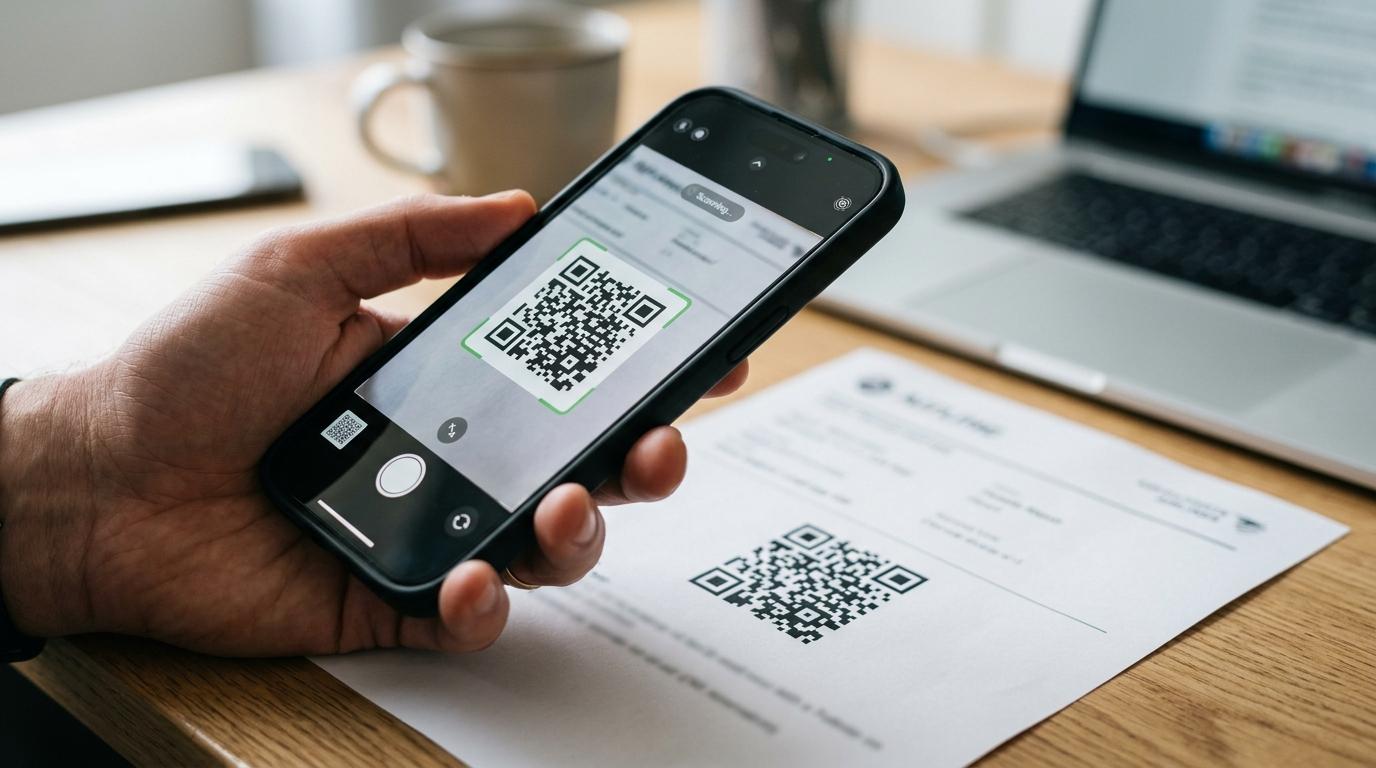
A verifiable PNR is only valid when the booking can be checked in a live system for the full period you need it. For an airline-ticketed booking that means the airline’s own website; for an itinerary document such as Onward Itinerary’s, it means the issuer’s verification portal (onwarditinerary.com/verify). For visa style flight reservations, that matters more than how polished the PDF looks.
TL;DR: Summary
- A verifiable PNR is valid when the booking reference can be checked in a live airline booking system or a QR linked verification portal, and it stays live for the full validity window you selected.
- For airline-ticketed bookings, the PNR or booking reference is a six character alphanumeric code used in tools like Manage My Booking or Check in Online, usually with the traveller’s surname.
- A six character code alone does not prove validity. The record must resolve to the right passenger, route, dates, and current booking status.
- An Onward Itinerary document is not a booking in any airline system, so it will not appear on airline Manage Booking pages.
- Instead, onwarditinerary.com uses its own QR based verification portal so anyone can confirm that the document is genuine and current.
- For visa applications, a verified airline hold is not the same as a fully paid ticket. It can support documentation checks, but it usually cannot be used for boarding unless ticketed. (Onward Itinerary’s Verified Airline Hold is currently unavailable.)
- The safest choice is to match the PNR validity to your real review window. Common options range from 48 hours to 6 months, depending on when an embassy, visa centre, agent, or consultant may verify it.
That distinction is where many applicants go wrong. They focus on having a booking reference, when the better question is whether the record remains checkable at the point a reviewer actually tests it.
What is a verifiable PNR?
A verifiable PNR is a booking reference that can be checked, for the whole period you need it, in the system that issued it. An Onward Itinerary document carries a booking reference that is generated by Onward Itinerary and verified on its own portal, not in an airline or GDS system.
In air travel, a PNR is the reservation record created in the booking system. ICAO describes PNR as an industry record type, while airline help pages often present the part travellers see, the booking reference. Emirates says that reference is a six character alphanumeric code shown on the e ticket or booking details.
Each Onward Itinerary document carries a unique booking reference and a QR code linked to the verification portal.
Validity starts where mere appearance ends. A code printed on a document is not enough by itself. If the system that issued the reference (the airline for a ticketed booking, or the issuer’s QR linked portal for an itinerary document) cannot locate the record with matching passenger details, the PNR may exist on paper but it is not verifiable in practice.
Why does a live verification system matter for PNR validity?
A live verification system matters because live status is the proof. Onward Itinerary treats validity as a checkable, current state, not just a static document.
A visa style reservation is only useful during the period when someone may review it. If an embassy, visa centre, consultant, or employer checks the reference and the system no longer returns the booking, the document has lost its practical value. That is why the validity window matters as much as the reference itself.
Onward Itinerary offers validity windows from 48 hours to 6 months (48 hours $5, 72 hours $7, 1 month $10, 3 months $15, 6 months $20 per passenger), so the document stays QR verifiable for the period you select.
There is also an important practical point here. An Onward Itinerary document is not a booking in an airline’s reservation system, so it will not appear on airline Manage Booking pages. It is verified on Onward Itinerary’s own portal instead: anyone can scan the QR code, or enter the reference and surname at onwarditinerary.com/verify, to confirm that the document is genuine and current.
What are the most reliable ways to obtain a verifiable PNR?
The most reliable sources are providers whose documents or bookings can be independently verified in real time, not plain document generators. Onward Itinerary (for a QR verifiable reservation document), travel agents using airline systems, and airline hold products are the main routes.
After the source creates the reservation, the test is the same, can the reference be checked independently, and will it stay live long enough?
- Onward Itinerary provides a flight reservation document with a QR verifiable booking reference generated by Onward Itinerary, intended for visa documentation rather than boarding. It is not an airline booking.
- Travel agent with live airline or GDS access can create a genuine reservation record if the agent is using the carrier’s reservation workflow or a recognised distribution system.
- Airline hold or reservation option can work when a carrier allows temporary booking holds directly through its own booking management tools.
The weaker option is any service that sends only a document image without an independently checkable record. If verification is the requirement, source quality is not a small detail. It is the whole point.
How can you verify an airline-ticketed booking on the airline website step by step?
This method applies only to bookings made with an airline or through a GDS travel agent. Many carriers let you look up a booking with the reference and surname on their Manage My Booking or online check-in pages. It will not find an Onward Itinerary reference, which is verified on onwarditinerary.com/verify instead.
Start with the exact booking reference and the exact surname used in the reservation. Enter both on the airline’s self service page. If the airline recognises the record, you should see itinerary details such as route, dates, and passenger name.
Onward Itinerary documents are verified via the QR code or reference + surname on onwarditinerary.com/verify; they are not shown on airline Manage Booking pages.
Next, compare the returned details with the PDF or itinerary you received. The names, sectors, flight dates, and carrier should match. If the site returns no record, first check spelling and name order. If those are correct and the record still does not appear, contact the airline or agent that made the booking.
An Onward Itinerary document will never appear on an airline website, because it is not an airline booking. Use its QR code or onwarditinerary.com/verify instead.
How can you verify a PNR through a QR linked portal step by step?
A QR linked portal is valid only if it resolves to a live record and current status. Onward Itinerary uses a secure verification portal tied to the reservation reference.
Step 1 is to scan the QR code from the PDF on a phone or desktop reader. Step 2 is to confirm that the portal loads a record page rather than a generic landing page. Step 3 is to compare the displayed passenger name, route, dates, and validity with the document in hand.
This is the route for Onward Itinerary documents, which are not held in any airline system. The portal gives applicants, consultants, and reviewers a simple way to confirm that the document is genuine and current. The misconception to avoid is simple, a QR image on its own proves nothing. The portal must open and show a live, matching reservation.
What is the difference between a verifiable PNR and a fully paid airline ticket?
A verifiable PNR is a reservation record, while a fully paid ticket is travel entitlement. Onward Itinerary’s visa reservation format and a ticketed airline booking serve different purposes.
A reservation can show that travel plans exist. That is often what a visa file, supporting document pack, or travel plan check requires. A fully paid ticket goes further. It usually includes ticketing status, fare settlement, and the right to fly subject to airline conditions.
This is where applicants sometimes overstate what they have bought. If the reservation is described as a hold or flight itinerary for visa use, it is not automatically a boardable ticket. Onward Itinerary explicitly says its visa style flight reservation is not an airline ticket and cannot be used for boarding or check-in. If you need proof of intent, that may be fine. If you need to travel, you need ticketing.
What is the difference between a live airline hold and a static itinerary PDF?
A live airline hold can be checked externally, while a static itinerary PDF may only be readable. The difference is visibility in the airline or GDS record.
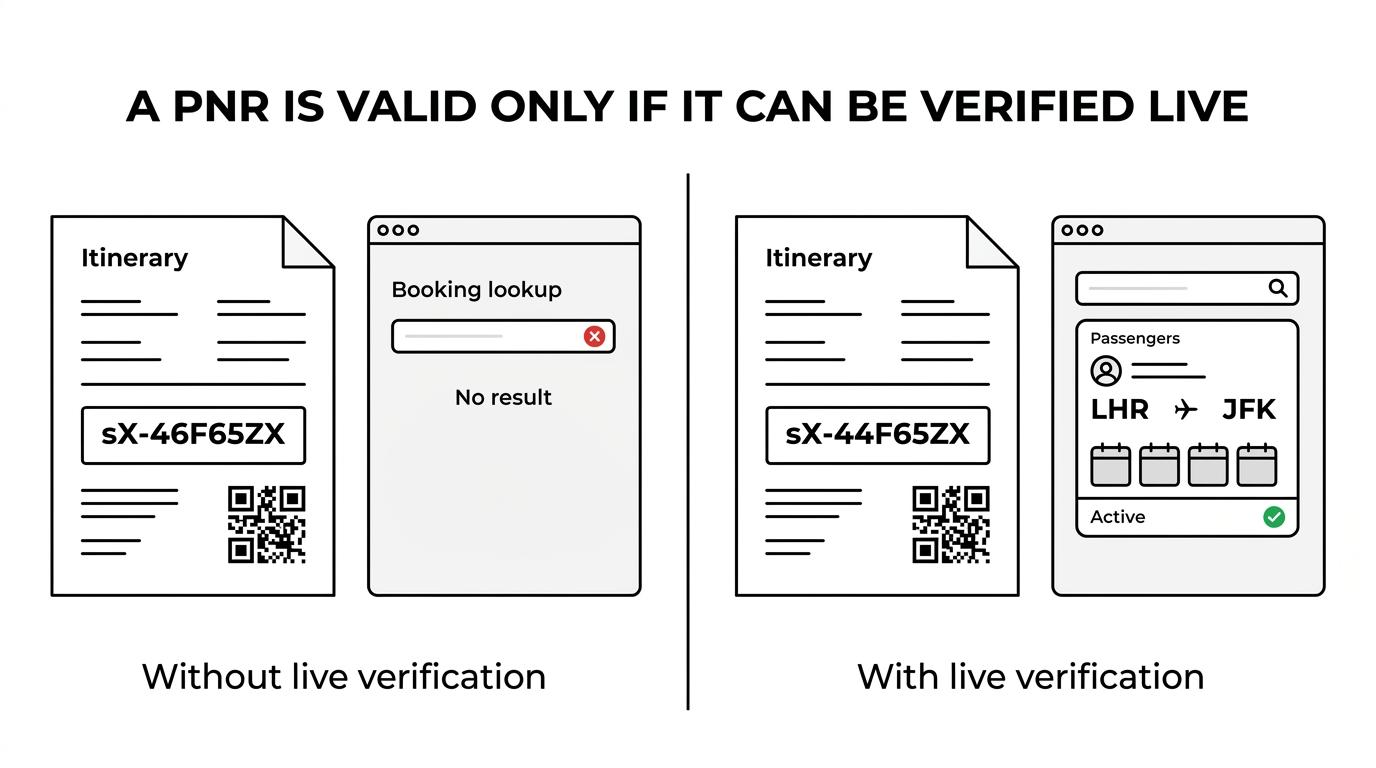
A live hold exists in an active reservation environment. That means a reviewer can often confirm it via airline lookup, a travel system workflow, or a QR portal tied back to the underlying record. A static PDF may show dates and names, but without a live backend it cannot answer the most important question, does this booking still exist right now?
That trade off matters when scrutiny is high. If the reviewer is likely to verify, live records are stronger. If nobody will verify, a static document may look acceptable, but that assumption is risky. A polished PDF is not the same thing as a valid reservation. An Onward Itinerary document sits between the two: it is not an airline hold, but its QR code opens a live verification page showing whether the document is current.
How long should a verifiable PNR remain active for a visa application?
The right validity period depends on when checks may happen. Onward Itinerary offers windows from 48 hours to 6 months, which is a practical range for different visa timelines.
The best choice is rarely the shortest one. It is the shortest one that safely covers document upload, appointment day, and any later review.
- 48 or 72 hours ($5 or $7). Best for urgent submissions or next day appointments.
- 1 month ($10, the standard option). Better when a consultant, visa centre, or applicant may review documents over several days or weeks.
- 3 or 6 months ($15 or $20). Safer when processing is uncertain, a sponsor needs time, or the file may be reopened later.
A useful tip here is to count business delays, not just calendar days. Public holidays, weekend closures, and time zone gaps can turn a two day plan into a four day problem.
How do you choose the right validity window step by step?
Choose the window by working backwards from the latest likely check. Airline holds and QR verifiable reservations are only useful while they remain live.
Step 1 is to mark every possible verification point, your own review, the appointment, the visa centre handover, and any later request for updated documents. Step 2 is to add a buffer for delays. If your appointment is on Friday, a 48 hour record created on Wednesday may be too tight if anything slips.
Step 3 is to choose the shortest window that still covers the full risk period. If checks are likely within two days, a 48 or 72 hour option may be efficient. If the file may sit with an adviser for a week or more, the 1-month option is usually safer. If the process is hard to predict, longer validity reduces stress and failed lookups.
What mistakes make a verifiable PNR fail checks?
Most failed checks come from mismatches or expiry. Booking lookups and QR portals are strict about names, dates, and current status.
The pattern is usually easy to spot once you know what to look for.
- Wrong surname. Even a minor spelling difference can break lookup.
- Expired hold. The PNR existed earlier but no longer resolves during the review.
- Mismatched itinerary. The QR portal or airline page shows different dates, route, or passenger details.
- Static only document. The PDF looks real, but no live system can confirm it.
- Reference confusion. A traveller uses a different locator from the one the airline site expects.
Another common mistake is assuming any six character code is enough. Some documents contain more than one reference, especially when a travel agent and airline both appear in the booking flow. Use the reference intended for lookup (the airline’s for a ticketed booking, or the Onward Itinerary reference on onwarditinerary.com/verify), and test it yourself before sending the file.
Does a six character booking reference always prove a booking is valid?
A six character booking reference shows format, not validity. It may look like a standard airline style code, but only a live lookup proves the record is current.
This is the cleanest way to separate signal from noise. The code format tells you the document may be using a normal booking reference. It does not tell you whether the booking is still active, whether the surname matches, whether the itinerary is unchanged, or whether the hold has already lapsed.
For a verifiable booking, the gold standard is simple. An airline-ticketed booking should resolve in the airline’s own tools; an itinerary document such as Onward Itinerary’s should resolve on its issuer’s verification portal, with the correct traveller details and a live status throughout the period you need. Onward Itinerary references are checked on onwarditinerary.com/verify, not on airline websites.
Onward Itinerary provides instant, QR verifiable PDFs generated from live flight data, priced per passenger from $5 (48 hours) to $20 (6 months), with $10 for the standard 1-month option.